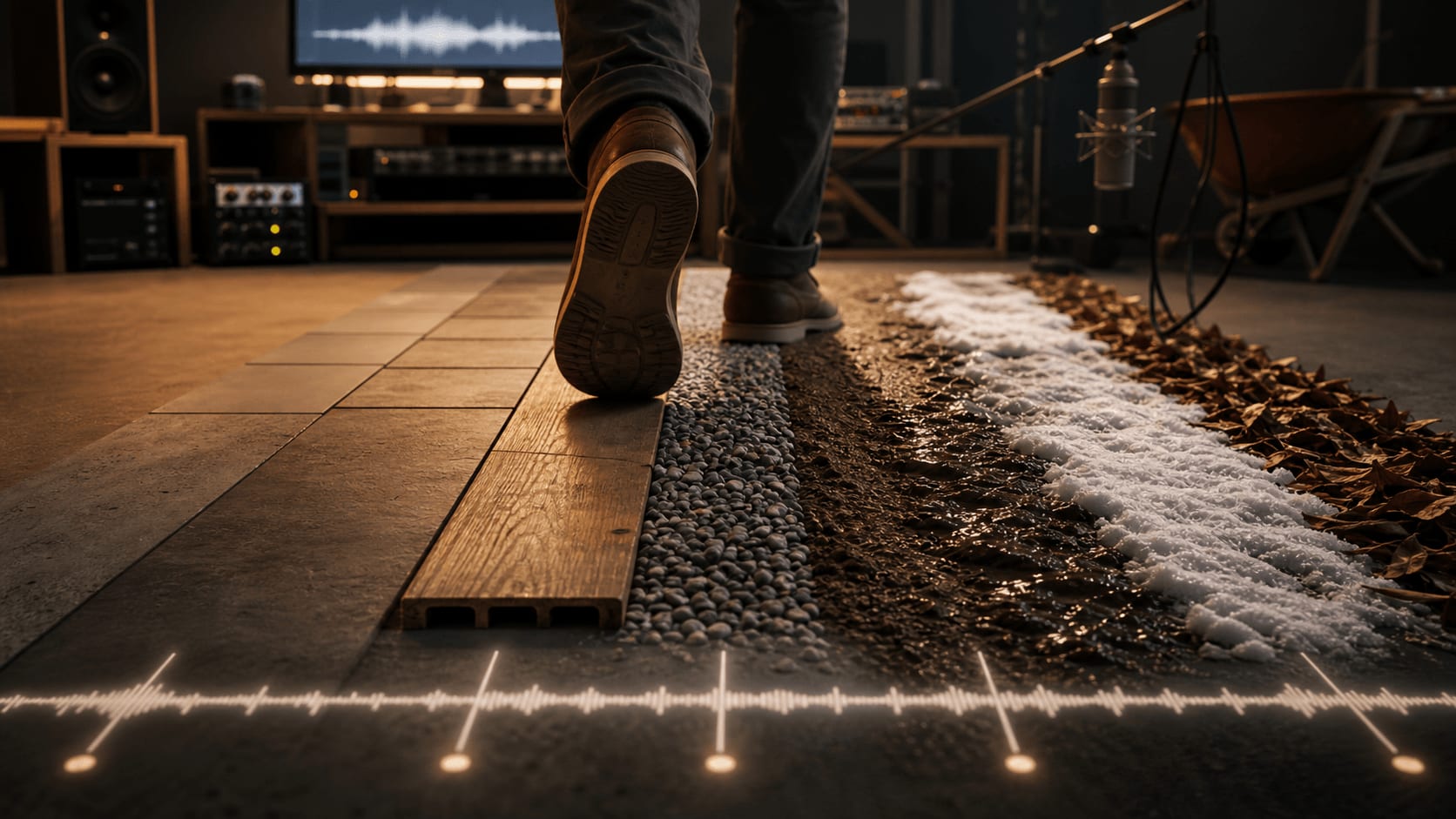
Footsteps Sound Effects: Surfaces, Sync and Foley Timing

Footsteps sound effects are short Foley cues that make a character's movement feel connected to the surface, space, camera distance, and emotional beat of a scene. A good footstep is not just a shoe hit. It tells the viewer where the character is, how fast they are moving, how heavy or careful they feel, and whether the scene is intimate, tense, comic, or realistic.
The fastest way to choose footsteps is to name the job before you search: surface, footwear, pace, weight, distance, and story function. A concrete boot step that works in a street chase will feel wrong under a quiet apartment scene. A soft snow step may need cloth movement and breath around it. A cartoon run can be perfect for animation and absurd in a documentary.
| Decision | What to listen for | Why it matters |
|---|---|---|
| Surface | Concrete, tile, wood, gravel, leaves, mud, snow, carpet | The surface sells the location before the audience consciously notices it. |
| Footwear | Boots, sneakers, sandals, heels, bare feet, hard soles | The shoe tells us character, weight, and sometimes period or genre. |
| Pace | Slow walk, run, stagger, jump, shuffle, stop | Pace controls urgency and must match the picture rhythm. |
| Distance | Close, medium, distant, offscreen, reverberant | A close sound in a wide shot can feel fake unless it is intentionally stylized. |
| Function | Realism, tension, comedy, scale, game feedback, transition | The same step can be Foley detail or a dramatic punctuation mark. |
This guide preserves Ezra's practical ADD workflow for finding, triggering, syncing, and replacing footsteps quickly, then adds a sound-design checklist you can use before the file ever hits the timeline. For related movement cues, see our guides to thud sound effects, knocking sound effects, door slamming sound effects, and ambient sound effects.
Use the playlist above to audition concrete, tile, linoleum, wood, gravel, leaves, mud, snow, barefoot, heel, sandal, loafer, cloth, robot, monster, and cartoon footstep options.
What makes a footstep sound believable?
A believable footstep usually has three parts: the transient, the body, and the tiny movement around it. The transient is the first contact with the surface. The body is the weight of the step. The movement can be cloth, gravel scatter, snow compression, floor creak, breath, or a small scuff as the foot leaves the ground.
Editors often search only for the object they see, like "boot" or "wood." That is a start, but it is not enough. Search by the feeling too: careful, heavy, distant, gritty, wet, nervous, comic, fast, slow, clean, dirty, hollow, soft, sharp. Footsteps are small, but they carry a surprising amount of character information.
| Scene need | Good starting point | Layer only if needed |
|---|---|---|
| Quiet interior walk | Soft wood, carpet, linoleum, or low-intensity shoe step | Room tone, subtle cloth, tiny floor creak |
| Street or alley movement | Concrete, asphalt, gravel, hard-sole, boot, sneaker | Traffic bed, alley reverb, small debris movement |
| Suspense approach | Slower isolated steps with more space between impacts | Low room tone, distant reverb, breath, clothing movement |
| Game character feedback | Short consistent surface steps at multiple speeds | Randomized variants, surface switch logic, light cloth |
| Creature or robot scale | Monster or robot steps with weight and mechanical texture | Sub thud, servo detail, debris, tail reverb |
| Comedy or animation | Cartoon run, squeaky shoe, exaggerated toe/heel rhythm | Whistle, pop, tiny impact, or spring detail |
Common footstep sound effect mistakes
- Using one perfect step everywhere. A loop of identical hits will start to sound artificial. Use alternates and vary timing slightly.
- Matching the shoe but not the surface. A boot on wood and a boot on concrete are different sounds. Surface usually matters first.
- Forgetting camera distance. The closer the shot, the more detail you can hear. Wide shots often need softer, roomier footsteps.
- Leaving out cloth and movement. Real walking includes fabric, balance, tiny scuffs, and air. Use these layers gently.
- Over-syncing every frame. A footstep should feel locked to picture, but tiny timing adjustments can make it feel more natural.
- Making every step too loud. Footsteps should support the scene. If they fight dialogue or music, pull them back.
For general Foley context, A Sound Effect's footstep Foley guide explains why footwear and floor choice change the sound so dramatically. Sound library catalogs from companies like Sound Ideas show the same practical taxonomy: surface, shoe, pace, distance, and performance style.
Common qualities in any footstep sound effect
Let’s begin by classifying the different footstep sound effect categories. This will help you get a lay of the land before you start searching and sourcing foley for your project.
There are three fundamental footstep attributes to think about as an editor:
- Materials: Identify the materials involved in each step. This includes the surface material as well as the foot or shoe. For example, the sound of a bare foot walking on wood will have a completely different timbre from a steel toed boot. Is the floor solid or hollow and do the floorboards creak? All of these variations are important to consider according to the scene.
- Pacing: The quick pace of a running footsteps sound effect will impact the final sound, even if you chop it up and create space between each hit. For example, the sound of a running show scraping quickly off the ground material could be absent from a walking sound effect.
- Intensity: The intensity of each step is measured in decibels but also shows up in the timbre of the sound. When a character is stomping, you can expect lower bass frequencies in the mix, whereas slow footsteps sound effect will be much softer.
Materials are the most common footsteps sound effect category in foley libraries. Intensity tends to be a secondary attribute of the individual files themselves. In Audio Design Desk, the Steps pack contains around a dozen subfolder categories, each with varying intensity and complexity.
Surface Material Categories
- Grass, Leaves: Soft, rustling sounds with a light, crisp timbre, capturing the essence of natural, outdoor settings.
- Dirty, Gravel, Sand, Brush: Gritty, crunching sounds with variable granular textures.
- Metal, Concrete: Sharp, resonant footsteps with a high-pitched clang or a dense, echoing impact.
- Tile, Linoleum, Glass: Bright, reflective sounds with a clear, sharp attack.
- Hollow wood, Solid wood: Warm, resonant timbre with a hollow or solid quality, evoking indoor settings with wooden flooring or structures.
- Liquids: Rainy and wet conditions with splashy and squishy sounds. Foley ranges from regular water to more viscous materials.
Footwear and Pacing Subtypes
- Pacing: The pace will typically follow the material and include terms like fast, run, jog, slow, jump, and march.
- Barefoot: These tend to be soft thudding sounds rather than hard impacts
- Boot: There are a few boot varieties in our collection. Cowboy boots produce a distinctive, heavy thud combined with a slight jingle from spurs, often used in Western scenes. Rain boots, on the other hand, create a dense, muffled sound with a slight squelch, perfect for depicting wet, muddy environments.
- Sneakers and Cleats: Sharp, staccato sounds are heard as the studs strike hard surfaces like concrete or metal. On softer surfaces like grass or dirt, cleats generate a crunching, scraping noise, capturing the essence of sports scenes or outdoor activities. For field-specific bats, gloves, slides, and crowds, see baseball sound effects.
- Hard sole: Crisp, clear tapping sound. This sharp, resonant quality is ideal for office settings, formal events, or any scene requiring a sense of sophistication and precision.
- High Heel: Rhythmic click-clack sounds with a high-pitched tone. This characteristic noise is often associated with elegance and style, making it perfect for scenes set in upscale environments, fashion shows, or business meetings.
- Loafers and Sandals: Soft, padded footsteps with a slight shuffling quality. The sound is less pronounced than hard-soled shoes, providing a casual, comfortable ambiance suitable for everyday indoor settings or relaxed, informal scenes.
The materials of the footwear are just as important as the surface, but they’re categorized as secondary to the surface materials. Now that we’ve cleared that up, it’s time to get into the nitty gritty and show you how to actually source and sample these sound effects.
How to Download Royalty-Free Footstep Sounds from ADD
Audio Design Desk was built specifically to help editors find and position high quality sound effects on their video timeline. Within our library of 75,000+ sounds, you’ll find more than three thousand footsteps sound effect files to pull from. Each audio file is labeled according to the surface material, intensity and complexity of the clip.
Here’s a screenshot and step by step guide for downloading the Steps sample pack:

- Sign up for a free 30-day trial of Audio Design Desk and boot up the DAW. Click on the icon shown above to open the left navigation panel.
- Click on the sound packs option to view your sounds
- Click on the magnifying glass icon to open the search bar
- Click on “My Sounds” and make sure “Your Plan” is selected
- Type “Steps” In the search bar and hit enter
- Scroll to the bottom of the list to find the Steps pack and click the download button
This “Steps” pack is one of the largest at Audio Design Desk. After clicking download, the DAW will need a moment to pull them from our repository. It goes without saying that you’ll need to be connected to the internet for that to work.
By the way, if you browse the Steps pack and it doesn’t have what you’re looking for, you can return to the Sound Packs section at any time and download one of the many other collections we offer.

How to find the right footstep sound effects for your video
Now that you have access to the footstep sounds, it’s time filter through all that foley and find the right sounds for your scene. Click “Search” on the left navigation menu and then you have two options.
Option 1. Type the word “steps” into the search bar to filter your sound collection down to footsteps. This will give you a quick and complete view of all of the individual steps in your library.

Option 2. Click on the down-caret arrow located immediately to the left of the search bar. This will reveal a navigation menu with a footsteps sound effect option. Click on that and narrow down your selection to the precise category that you’re looking for, as shown below:

Preview any of the audio files by selecting them on the list and hitting space bar. The wave form and playback controls are located at the bottom of this panel, directly below the list. Note the intensity and complexity filters above the list as well. These can be used to distinguish light taps from ordinary steps and thuds. The higher the value, the more intense the sound.
Mapping your footstep sound effects to a trigger
Select the group of sounds that you plan to use. Just right-click and select the trigger you want to use, or drag sounds directly over to it. You can choose from number keys, shift + number, and even MIDI notes (for those of you with a controller connected to your computer).

You have a few options after adding those files to the trigger of your choice. One possibility is to continue browsing for more footstep sounds and add them to the same trigger. You can also click on Trigger Sets in the left navigation menu to view sounds you’ve assigned to that key. In the example below, we’ve assigned our ten sounds to the number 1 on our computer keyboard.

Trigger footstep sound effects in sync with your video
With the sounds selected and trigger set up, it’s time to import your video. Simply drag and drop the clip into Audio Design Desk to load it. Then hit play and tap the trigger repeatedly or each footstep present in the scene. ADD will instantly place a region in the Timeline each time you hit the trigger.

As you can see in the example above, we’ve selected the sound of sneakers on brush material. The pace we selected was “walk” and the video is of a slow, casual jog so they aligned well together.
Your timing probably won’t be perfect, so you can click and drag the sfx files to the left or right so that they sync up correctly. This is still significantly faster than manually importing, dragging and positioning each sound.
Replacing Footsteps with Alternates
Not satisfied with the sounds? Instead of deleting them and starting over, command + click on the ones you want to replace. Then hit “Command + R” to automatically swap them out with other sounds from the same trigger set.

There are two situations you might encounter:
- You want to replace the footstep in the timeline with the same type of footstep
A. Select a footstep that you previously placed in the timeline
B. Press option and the number or midi key your footstep pool was triggered by. Any selected region in the timeline will replace from that pool
- You want to replace footsteps in the timeline with a different kind of footstep
A. Select the footsteps in the timeline you’d like to replace
B. Search and find the footsteps you’d like to use
C. Select the new footsteps and press shift return. Suddenly all your old steps are replaced with updated steps without losing sync

How sync points work during replacement
Every audio file in ADD has a unique sync point, positioned according to the file’s intended use. A rise has its sync point at the point of crescendo, while a hit has its sync point at the initial transient. The sync point is not always the loudest moment, it’s the most important one.
When you auto-replace a file in ADD, it doesn’t simply swap the new file in at the 0:00 marker. It swaps the file in on the axis of the sync point. This means the new sounds you swap in will land in the right spot!
Handing off your cue sheet to the producer
On the right hand panel, you’ll notice a cue sheet with a clear list of all of the sounds that currently exist in your project. Later, when your project is finished, you can hand this off to the producer as part of your deliverables. If it’s a commercial project, they will need it for their records.

Footstep sound effects FAQ
What are footstep sound effects?
Footstep sound effects are Foley recordings or designed cues that recreate the sound of walking, running, shuffling, jumping, or stopping on a specific surface.
How do I choose the right footstep sound?
Start with the surface and footwear, then match pace, weight, camera distance, and story function. Concrete boots, soft snow sneakers, hollow wood heels, and gravel sandals all imply different scenes.
Should footsteps be synced exactly to the frame?
The first contact should feel locked to picture, but exact frame placement is not always the most natural choice. Adjust by ear until the movement feels believable with the dialogue, music, and room tone.
Can I use one footstep file for an entire scene?
Usually no. Repeating one file makes a walk sound mechanical. Use alternates, vary timing, and layer movement details such as cloth, debris, floor creak, or room tone when the shot needs it.
Are robot, monster, or cartoon steps still footstep sound effects?
Yes. They serve the same movement function, but they are stylized. Use robot, monster, and cartoon steps when the scene needs scale, game feedback, animation timing, or comedy rather than realism.
Access thousands of royalty-free footsteps with Audio Design Desk
To access royalty-free footstep sounds and start syncing them to video, try Audio Design Desk. You can also preview a curated sample of footsteps in the embedded +Sounds playlist above.